Image

As standard documents can be uploaded to People First and attached to relevant transactions as appropriate in various places such as check ins, applications, learning courses, qualifications etc. This means that documents are securely held and are available in context.
MHR has partnered with Document Logistix (DLX) to provide a document management system as an additional subscription.
Document management with DLX has to be enabled for the tenant in the Admin portal by MHR.
The integration with DLX is set up by Systems Administrator (under Settings -> Inbound Integration -> DLX)
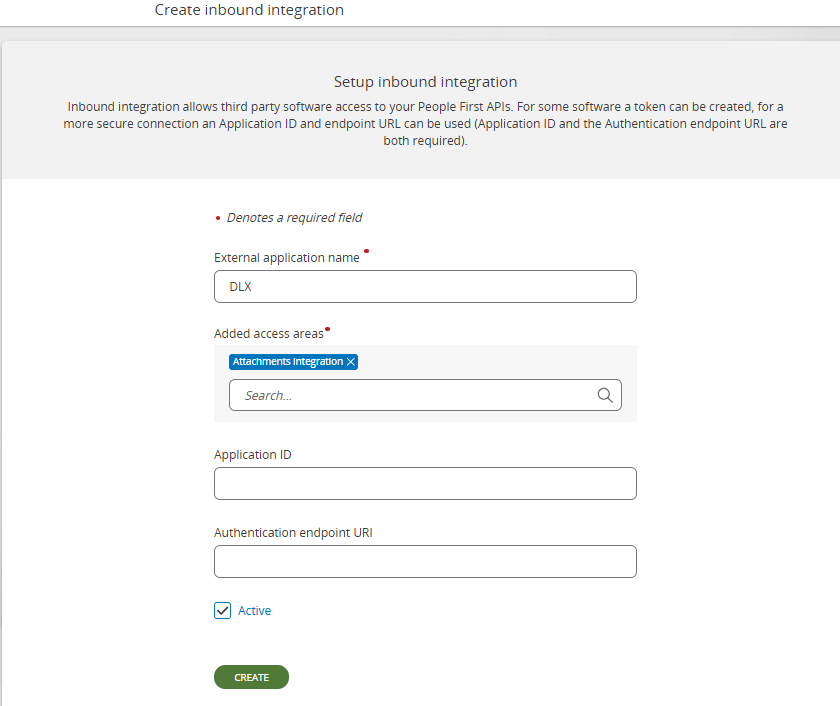
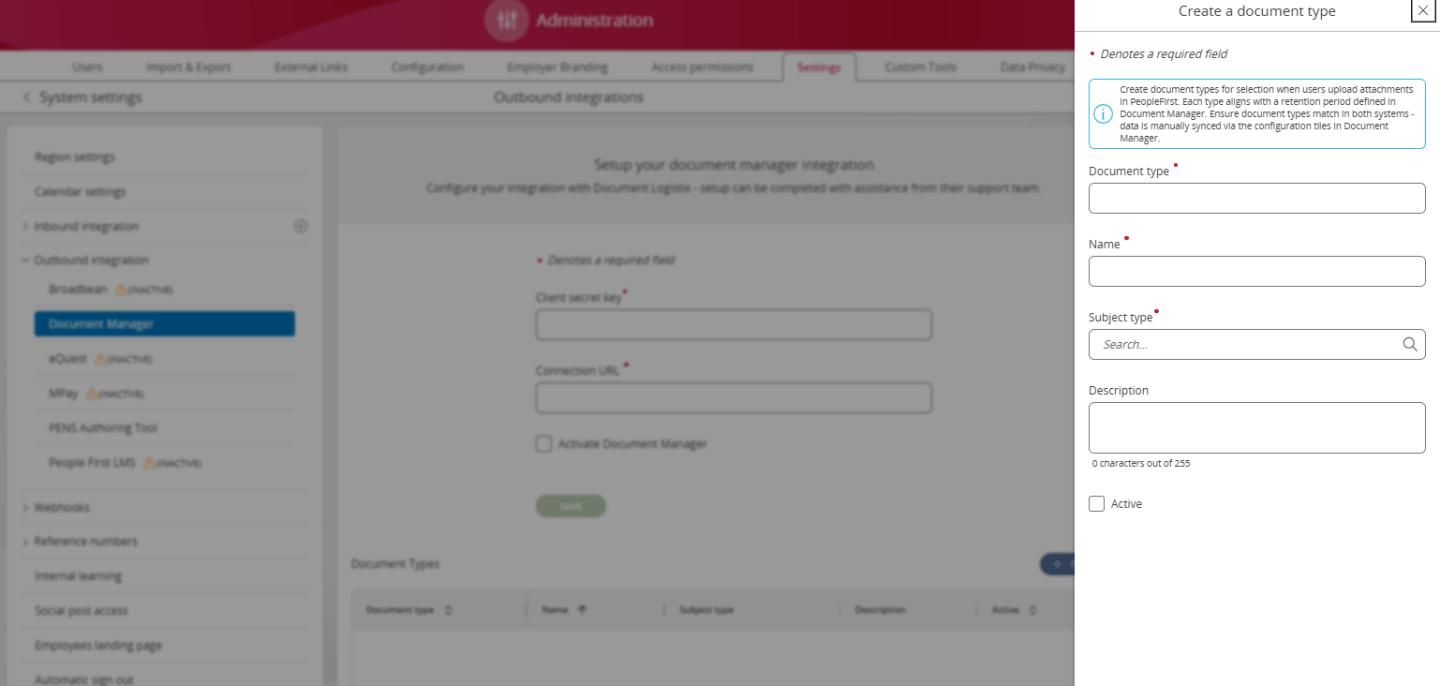
System administrators can create and view document types in People First. This is needed in order to integrate with DLX.
Navigate to Administration > Settings > Outbound integration > Document Manager
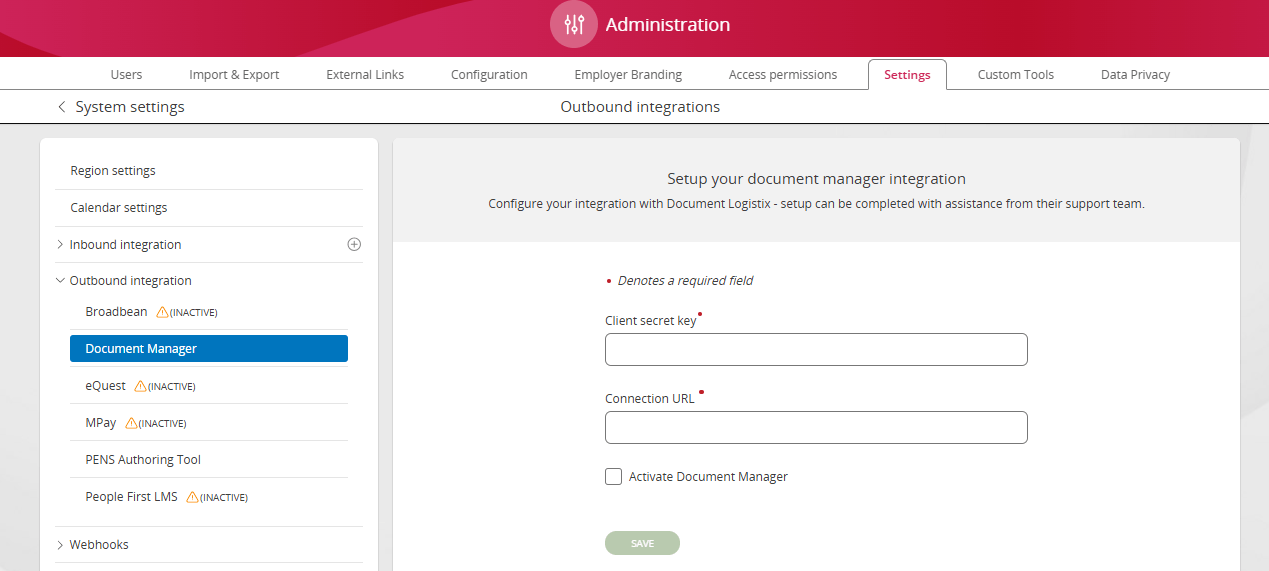
Set up the integration using generated PAT token.
The document manager integration requires both DLX and PeopleFirst to maintain a mapping of subject types to document types. See table below.
The DLX mapping controls which documents types appear when searching for documents and how documents are categorized when uploading.
The PeopleFirst mapping provides a human readable name which is presented to users for each document type, and ensure that when uploading a document users are presented with the correct choice of document types.
On DLXs recommendation a document type can only be assigned to a single subject type. e.g. hrm-cv has been associated with the subject type hrm-personalinformation. Therefore it cannot be assigned to any other subject types.
If DLX is enabled then document types mapping to subject types is required in order for attachments to work.
Press Create to set up the document types:
| Subject Type | Document Types |
|---|---|
| hrm-personalinformation | hrm-cv, hrm-lease, hrm-policyAcknowledgement, hrm-itRequestForm |
| hrm-certificateofsponsor | hrm-sponsorAllocationLetter, hrm-AssignmentConfirmationEmail, hrm-sponsorshipRefDocument |
| hrm-passportdetails | hrm-passportPhoto, hrm-fullpassport, hrm-emergencyPassportDoc |
| hrm-residencypermitdetails | hrm-residenceCard, hrm-BRP, hrm-indefiniteLeaveToRemain |
| hrm-sensitiveinformation | hrm-nationalInsuranceNumber, hrm-taxDocument, hrm-bankAccountConfirmation, hrm-DBS, hrm-backgroundCheck |
| hrm-disabilityinformation | hrm-occupationalHealthAssessment, hrm-reasonableAdjustmentsRequest, hrm-workplaceAccommodationPlan, hrm-medicalProfessionalLetter |
| hrm-driversdetails | hrm-drivingLicence , hrm-insuranceConfirmation |
| hrm-eusettlementstatus | hrm-euSettlementStatus, hrm-settledStatusDecision, hrm-homeofficesharecode |
| hrm-workpermitdetails | hrm-workPermitApproval, hrm-labourMarketApproval |
| hrm-visadetails | hrm-visaapprovalnotice, hrm-visaextensionletter, hrm-entryclearancedocument |
| hrm-absence | hrm-doctorsNote, hrm-absenceInsurance |
| hrm-schemesandbenefitsdetails | hrm-carallowancepolicy, hrm-benefitspolicydocument, hrm-privatemedicalinsurancepolicy |
| hrm-noticeperioddetails | hrm-terminationconfirmationletter, hrm-settlementagreement, hrm-gardenleaveconfirmationletter |
| hrm-probationperioddetails | hrm-probationconfirmationletter, hrm-probationreviewform, hrm-probationobjectivesdocument |
| hrm-jobdetails | hrm-offerletter, hrm-rolechangeletter |
| hrm-employmentsalarydetails | hrm-salaryreviewletter, hrm-bonusawardletter |
| hrm-hoursandbasisdetails | hrm-changeofhoursletter, hrm-flexibleworkingagreement |