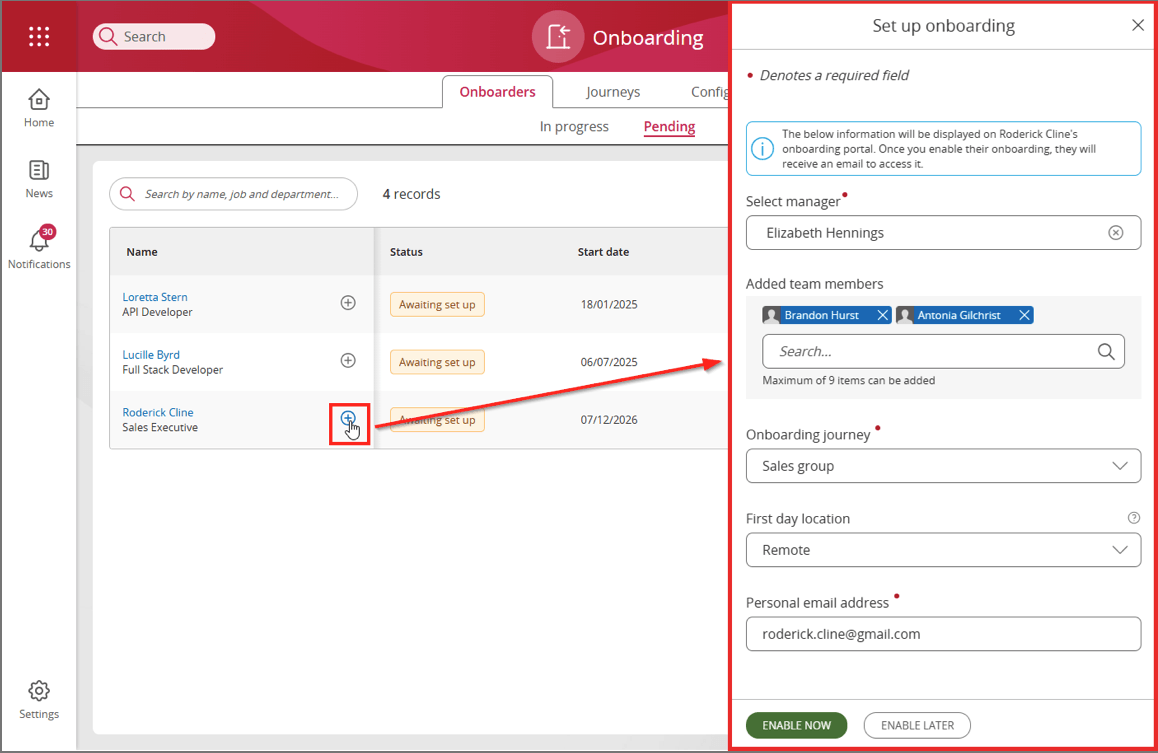
Image

Before an onboarder can be created in People First, an API call is needed to retrieve the available reference data values, and check the request body format.
To get the onboarder resource template, make API call:
GET PFBASEURI/api/v1/onboarding/person/resourcetemplate
Sample response:
{
    "data": {
        "onboardingPerson": {
            "titleId": "",
            "firstName": "",
            "lastName": "",
            "employmentStartDate": "",
            "jobId": "",
            "_links": {
                "jobs": {
                    "href": "hrm/org/orgId/search?t=position"
                }
            }
        }
    },
    "meta": {
        "onboardingPerson.employmentStartDate": {
            "mandatory": "true"
        },
        "onboardingPerson.jobId": {
            "mandatory": "true",
            "links": {
                "values": {
                    "href": "hrm/org/orgId/search?t=position"
                }
            }
        },
        "onboardingPerson.firstName": {
            "mandatory": "true"
        },
        "onboardingPerson.titleId": {
            "mandatory": "true",
            "values": [
                {
                    "id": "cf14f246-385f-4fb3-b90f-a1254ef5520e",
                    "value": "Dr"
                },
                {
                    "id": "5175ae20-63d7-48e3-824d-72d35d1e960c",
                    "value": "Miss"
                },
                {
                    "id": "9e188b9d-737b-4c9d-92bb-199d8a6fba5c",
                    "value": "Mr"
                },
                {
                    "id": "930fe73a-c2d5-446c-9819-75823d4fd7fe",
                    "value": "Mrs"
                },
                {
                    "id": "77165d3e-aebb-41fd-891e-5fc7ce169ace",
                    "value": "Ms"
                },
                {
                    "id": "1a564fa5-4de3-4a6a-bca3-2869c20414eb",
                    "value": "Professor"
                }
            ]
        },
        "onboardingPerson.lastName": {
            "mandatory": "true"
        },
        "links": {
            "self": {
                "href": "onboarding/person/resourcetemplate"
            }
        }
    }
}
In this response, the onboardingPerson.titleId field has a set of possible values in the "meta" section, each containing a value and an ID proprerty. These IDs should be used against the relevant title (Mr, Ms, etc.) when creating an onboarder.
Required fields:
To create the onboarder person, perform an api call of type POST.
POST PFBASEURI/api/v1/onboarding/person
with sample body:
{
    "onboardingPerson": {
        "titleId": "9e188b9d-737b-4c9d-92bb-199d8a6fba5c",
        "firstName": "Roderick",
        "lastName": "Cline",
        "employmentStartDate": "2026-12-07",
        "jobId": "50986037-c1ee-4b44-bac3-b211008dfee5"
    }
}
Sample response:
{
    "data": {
        "onboardingPerson": {
            "correlationId": "f322065e-1df5-4b07-931b-c0a990ecc268",
            "titleId": "9e188b9d-737b-4c9d-92bb-199d8a6fba5c",
            "firstName": "Roderick",
            "lastName": "Cline",
            "employmentStartDate": "2026-12-07",
            "jobId": "50986037-c1ee-4b44-bac3-b211008dfee5",
            "onboardingStatusId": "7816fd7b-3c16-488f-9609-1944fecbc301",
            "_links": {
                "onboardingSetup": {
                    "href": "onboarding/occupancies/7816fd7b-3c16-488f-9609-1944fecbc301/setup"
                },
                "jobs": {
                    "href": "hrm/org/orgId/search?t=position"
                }
            }
        }
    },
    "meta": {
        "onboardingPerson.employmentStartDate": {
            "mandatory": "true"
        },
        "onboardingPerson.jobId": {
            "mandatory": "true"
        },
        "onboardingPerson.firstName": {
            "mandatory": "true"
        },
        "onboardingPerson.titleId": {
            "mandatory": "true"
        },
        "onboardingPerson.lastName": {
            "mandatory": "true"
        },
        "links": {
            "self": {
                "href": "onboarding/person"
            }
        }
    }
}If the ATS has collected additional information for the onboarder such as contact details, address, driver details, etc., these can be added after the person has been created by following this guide.
Upon successful creation of a person in onboarding, the new person can be viewed within People First when navigating to the Pending view within the Onboarding application as shown below.
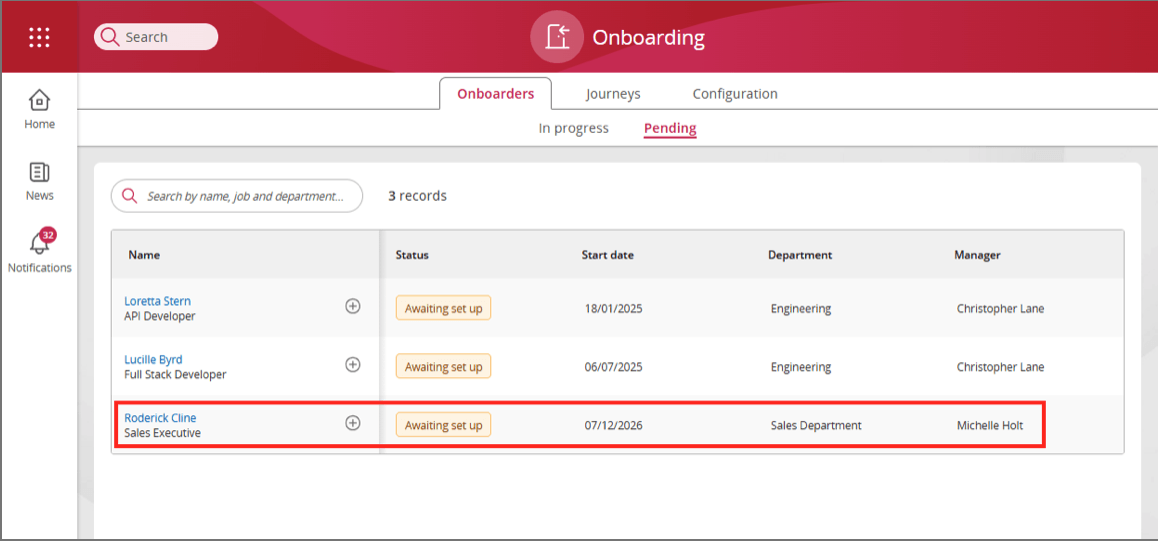
To begin onboarding someone using the People First Onboarding module, click on the '+' icon beside their name, and a panel will appear on the side of the screen to fill out the necessary details for the newly appointed onboarder to get started.