Image

This page outlines the required configurations to allow FusionAuth to be used as an Organisation Account Identity Provider (IdP) within People First. The integration was specifically tested for FusionAuth Cloud, although the details should also be applicable to FusionAuth on-prem deployments.
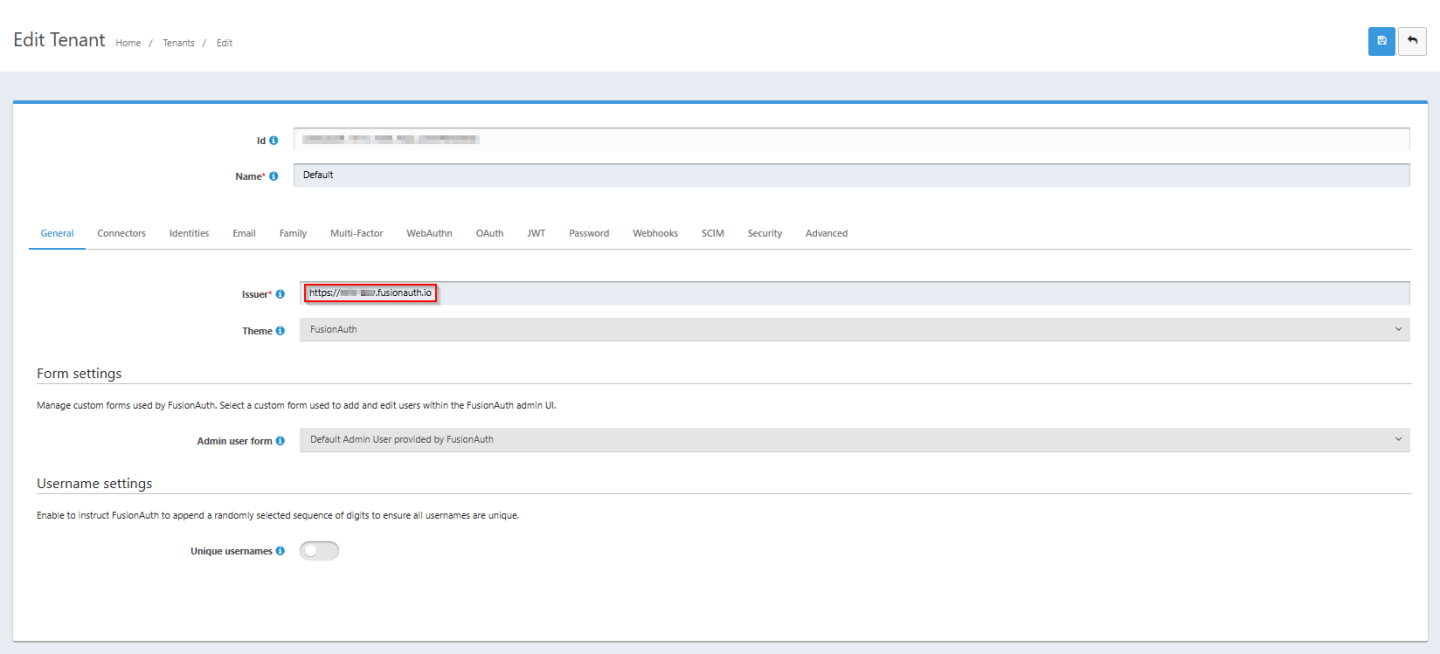
1) Ensure that the Tenant's Issuer complies with OIDC standard by including the protocol specifier
The OIDC standard requires that the issuer is a URL of the format: <protocol>://<fqdn> e.g. https://my-subdomain.fusionauth.io. By default, FusionAuth does not include the protocol (i.e. "https://") within the issuer field. This can be modified via the General tab on the Edit Tenant page.
2) Create a People First Application within your FusionAuth Tenant
For FusionAuth to authenticate users on behalf of People First you need to configure People First as a supported application within the FusionAuth tenant. This can be achieved through the Add Application page. You should populate the following basic details:
PeopleFirst"Default"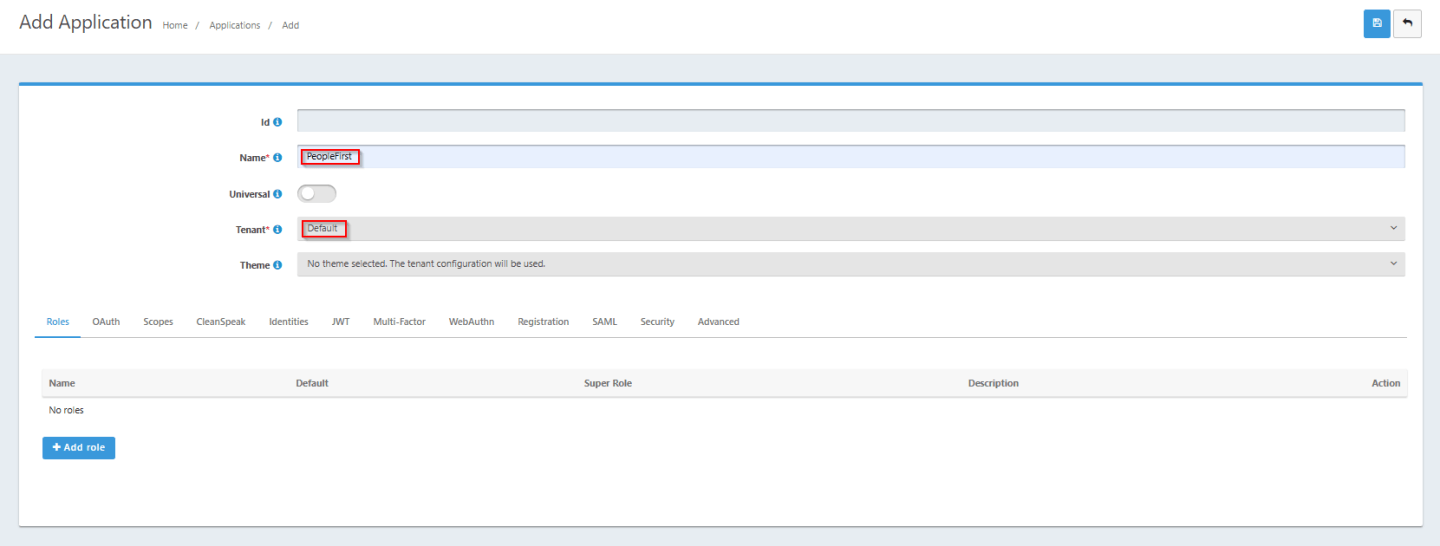
On the Add Application -> OAuth tab, populate the following details:
Not required when using PKCE"Required"EnabledExact match"https://login.people-first.com/redirect/Authorization Code", "Refresh token"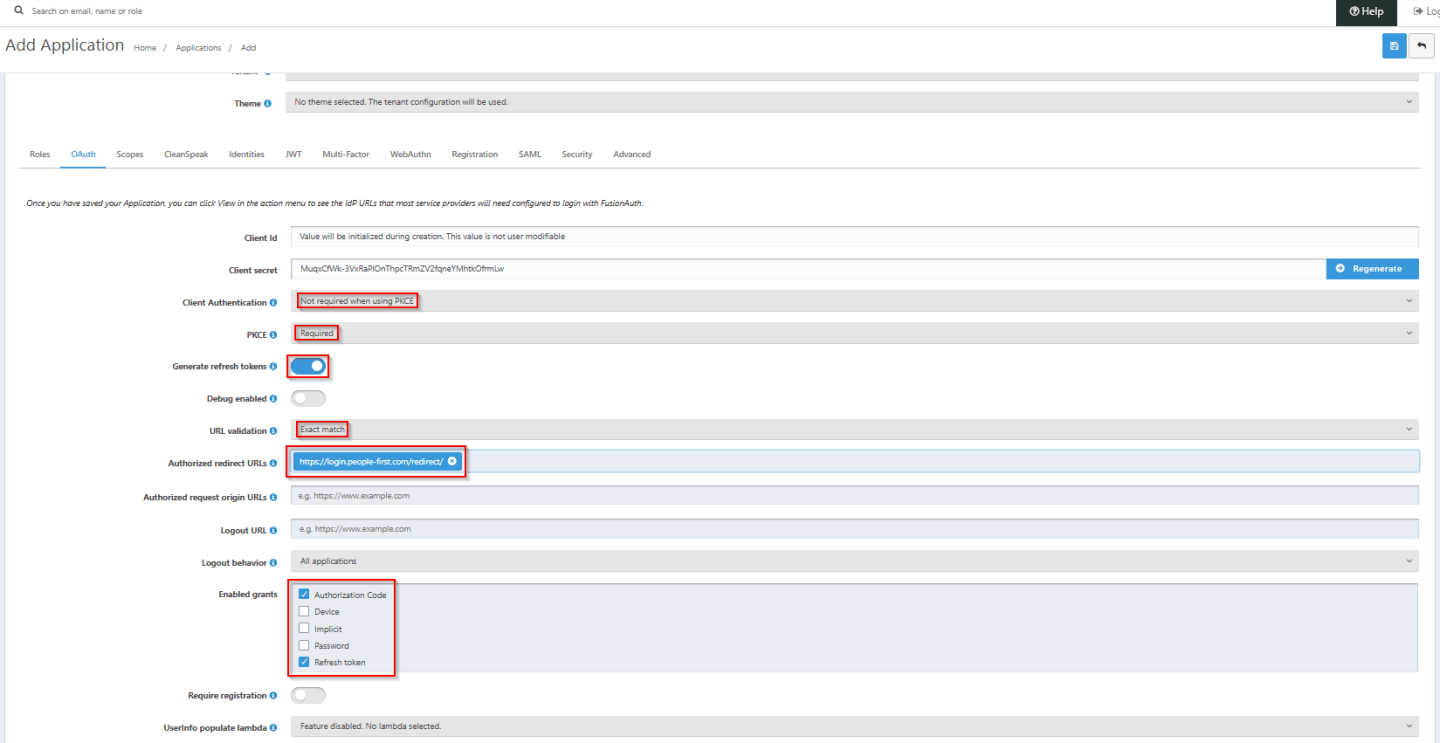
3) Modify the CORS settings for your FusionAuth Instance
The People First application and FusionAuth instance are hosted on different Internet Domains. In order for the browser or mobile app to send token requests to FusionAuth, it needs FusionAuth to accept requests that have been sent from a different Internet domain to its own (e.g. fusionauth.io for a FusionAuth Cloud instance). The Internet standard mechanism for facilitating this is CORS (Cross Origin Resource Sharing).
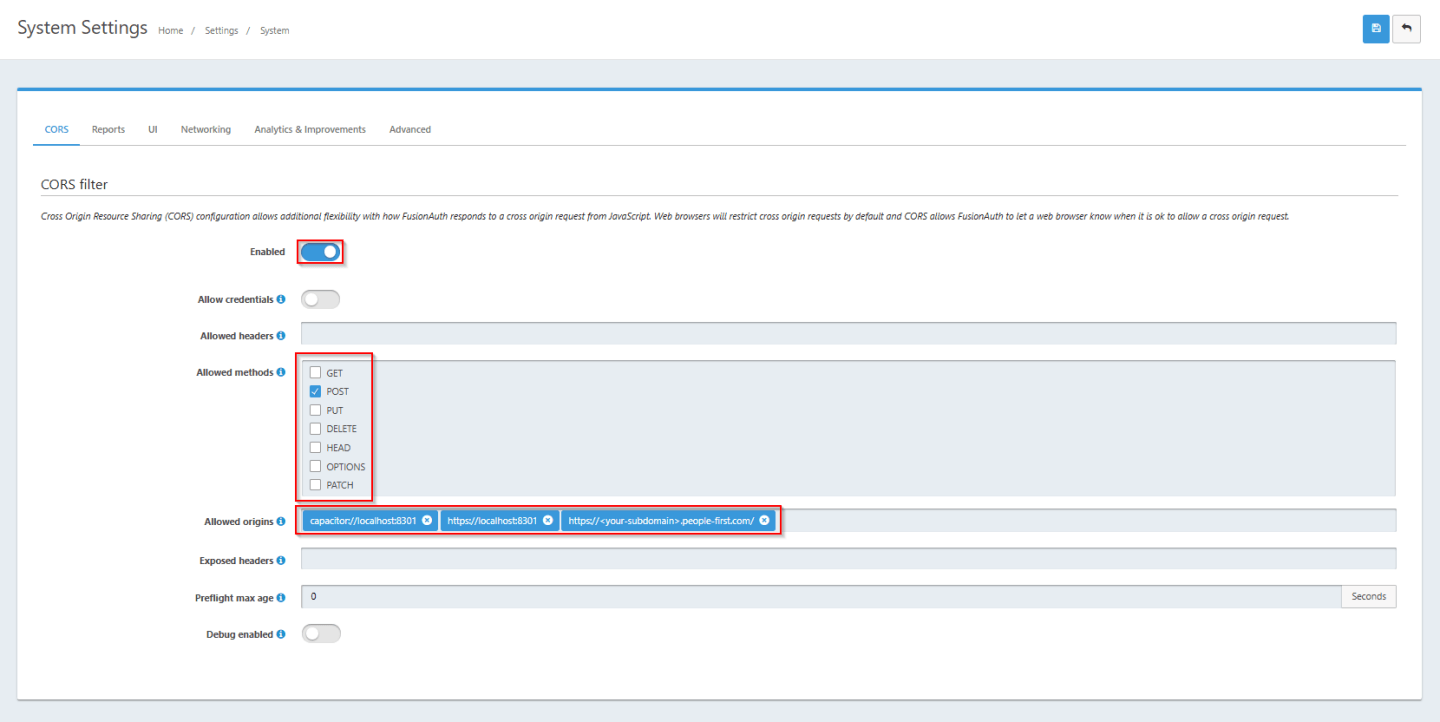
To support CORS, FusionAuth needs to be configured to accept specific HTTP methods from each of the People First application's source Internet domains e.g. https://mysubdomain.people-first.com. This can be configured vis the CORS filter page, accessed via Settings->System->CORS. The filter needs to be enabled to allow the POST method from your People First subdomain (https://<your-subdomain>.people-first.com) as well as for the iOS native app (capacitor://localhost:8301) and Android native app (https://localhost:8301). The screenshot below shows a typical configuration.
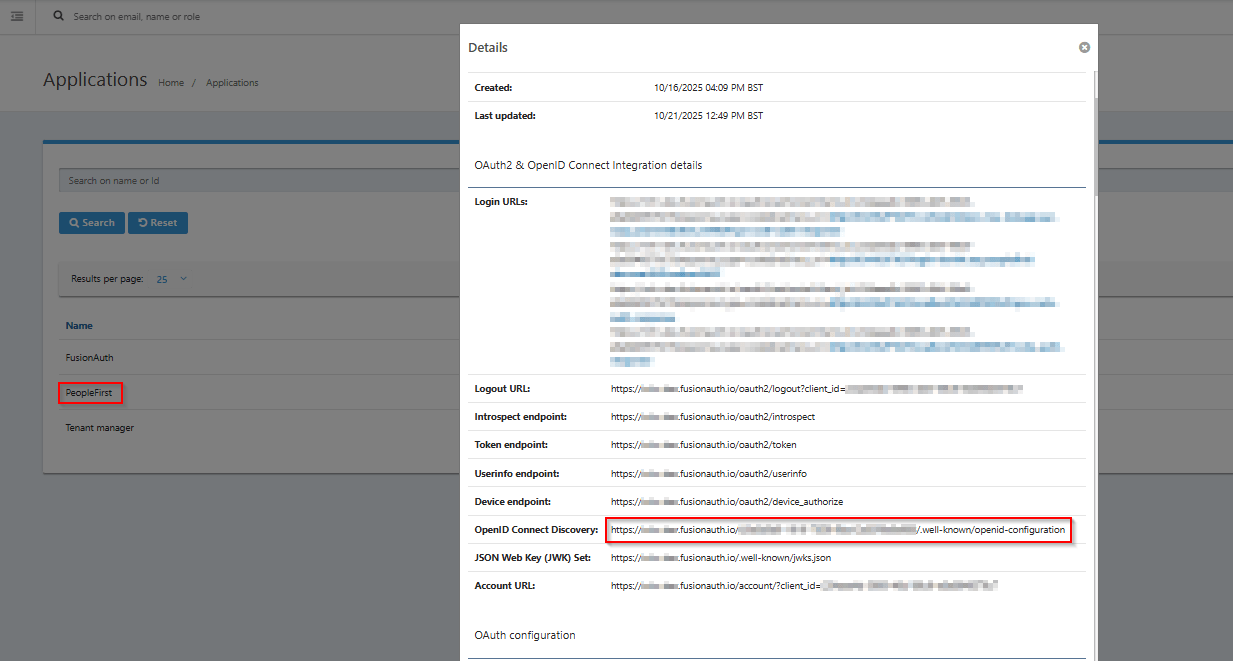
The following details are required for population within the People First Tenant Open Id Connect Configuration (these will need to be provided to MHR):
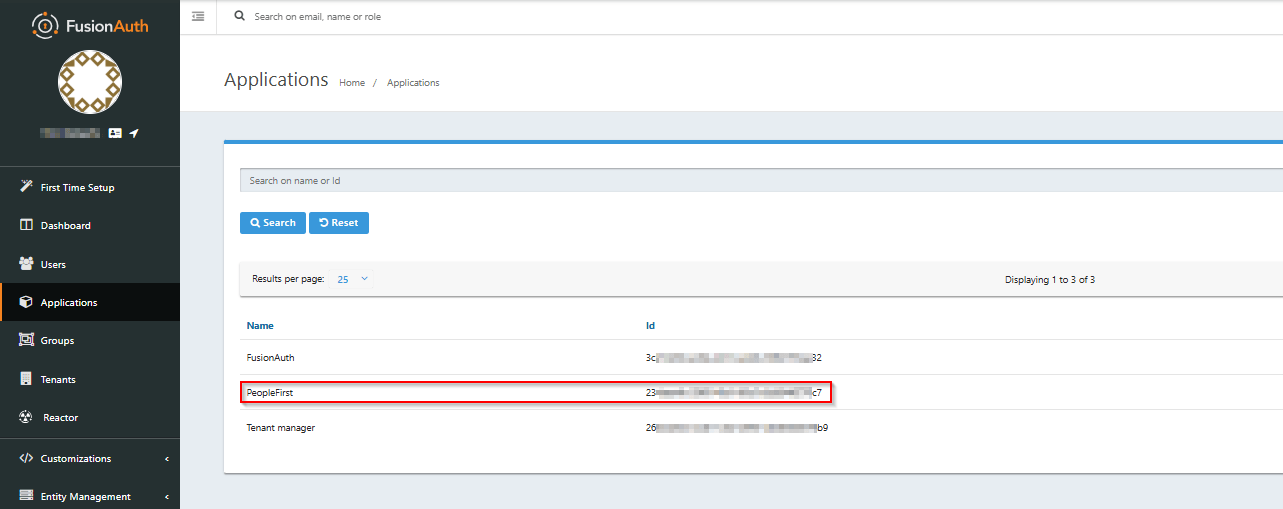
OpenID Connect Discovery" field on the FusionAuth View Details page for the People First Application within your FusionAuth Tenant (see below).