Your workplace needs more WOW. Get ready for MHR's World of Work 2026
Introduction
Pension providers require data from payroll to tell them what contribution each member and employer has made to their pension schemes each time they are paid. They also like to be kept up to date with changes to the employee such as their name and address so that their records of members are up to date.
Each pension provider has different but broadly similar interface requirements. It is common for pension providers to provide a portal for the upload of pension returns in a set format. Some pension providers provide API end points to enable data flows to be automated end to end.
Other benefit providers require similar data about contributions e.g. health insurance.
What are Pension Exports?
Pension exports provide a convenient way for customers to retrieve data about the pensions their employees use. This process follows a "fire and wait" approach, as larger payrolls may take longer to process.
What is the process?
The process is almost identical to the frontend process in People First. This section is broken up into how the frontend manages the process and then how the process is handled by the API so as to demonstrate the similarities.
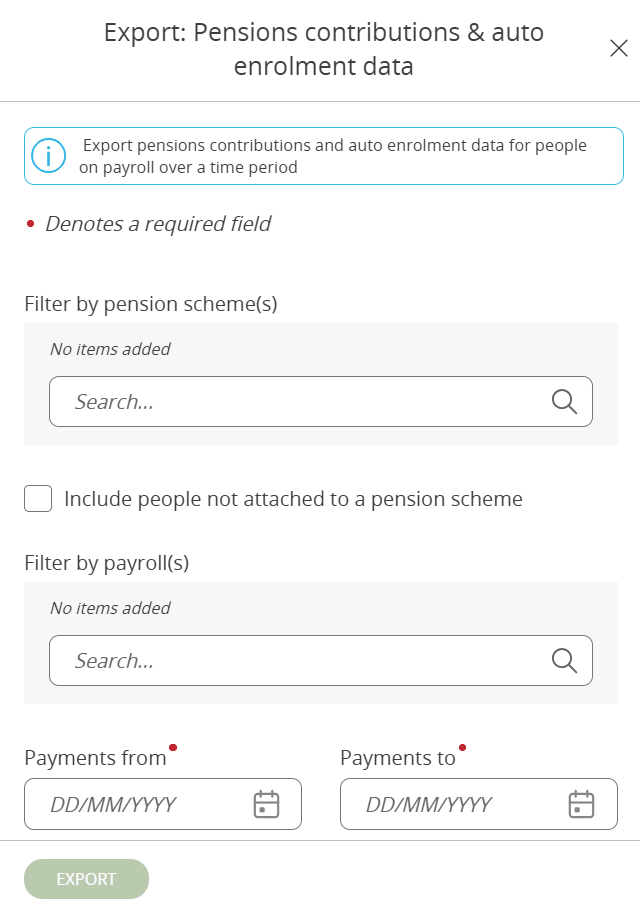
Step 1 - Selecting the parameters
To get the pension schemes:
[GET]
Endpoint: {{baseUrl}}/payroll/pensions/summaries?completedOnly=true&page[Limit]=25&page[Offset]=0
To get the payrolls:
[GET]
Endpoint: {{baseUrl}}/payroll/payrolls?completedOnly=true&page[Limit]=25&page[Offset]=0
To create the export session:
API Reference - Pensions
(/payroll/exportsessions/pensions)
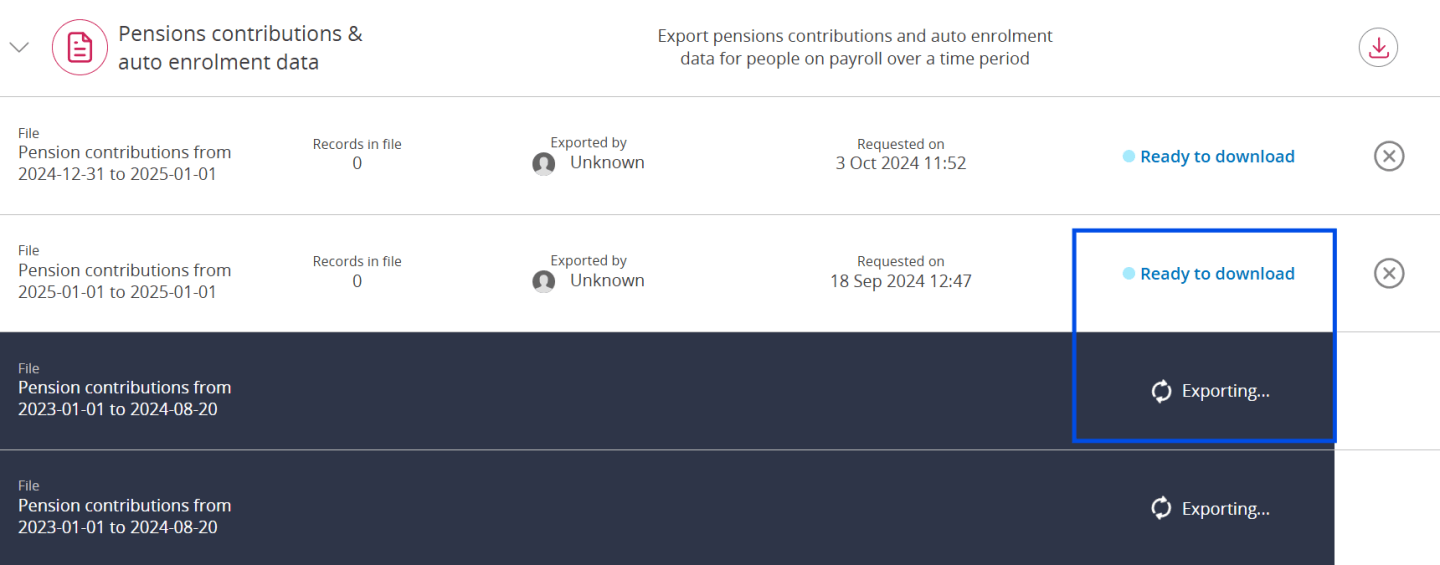
Step 2 - Check status
API Reference - Pensions
(/payroll/exportsessions/pensions/{id}/status)

Step 3 - Get data
API Reference - Pensions
(/payroll/exportsessions/pensions/{id})
What data is available?
The following fields are supplied by this export process:

- Id (of the data export)
- Pension Scheme Name
- Payroll Name
- Personal Reference Number
- Title
- First Name
- Last Name
- Job Title
- Pension Reference
- Pension Scheme Tax Relief
- Allow National Insurance Reimbursement
- Allow Qualifying Earnings Thresholds
- Scheme End Date
- Attachment start date
- Attachment end date
- Membership Number
- Pay frequency
- Payment date
- Employee Percentage (Pension Contribution)
- Employee Contribution (As a cash value)
- Employer Percentage (Pension Contribution)
- Employer Contribution (As a cash value)
- Employer NI Savings Contribution (As a cash value)
- Salary Sacrifice Amount (As a cash value)
- Total Employer Contribution (As a cash value)
- Employee Pensionable Pay (As a cash value)
- Employer Pensionable Pay (As a cash value)
- Employer Qualifying Pensionable Pay (As a cash value)
- Employee Qualifying Pensionable Pay (As a cash value)
- Legal Gender
- Date Of Birth
- NI Number
- Company Email
- Address line 1
- Address line 2
- Address line 3
- Address line 4
- Address line 5
- Postcode
- Employment Start Date
- Reckonable Service Date
- Employment Leaving Date
- Leaving Reason
- Auto enrolment assessment date
- Qualifying earnings
- Assessed as
- Exempt from auto enrolment
- Postponed as a new starter
- Not assessed due to notice period
- Enrol
- Postpone as an eligible jobholder
- Already in a qualifying scheme
- Reason for not enrolling
- Postponement date
- Status
- Opt out date
- Employer refund value
- Enployee refund value
- Opt out reference number
- Opt in date
- Ceased membership date
- Join date
- Occupancy Id
- Total employer pensionable pay
- Assumed pensionable pay applied (e.g. Y)
- Assumed pensionable pay top up amount